Install MAUQ
Add the App
Discord lets you install MAUQ in two ways:
- Add to server enables queue, thread, code, moderation, and server configuration features.
- Add to my apps enables supported personal commands in DMs and other allowed contexts.
Server installation requires permission to manage apps in the server where you add MAUQ.
Put Commands in the Right Channels
Open Server Settings -> Integrations -> Modded Among Us Queue. Enable commands only in the channels or categories where your community hosts queues.
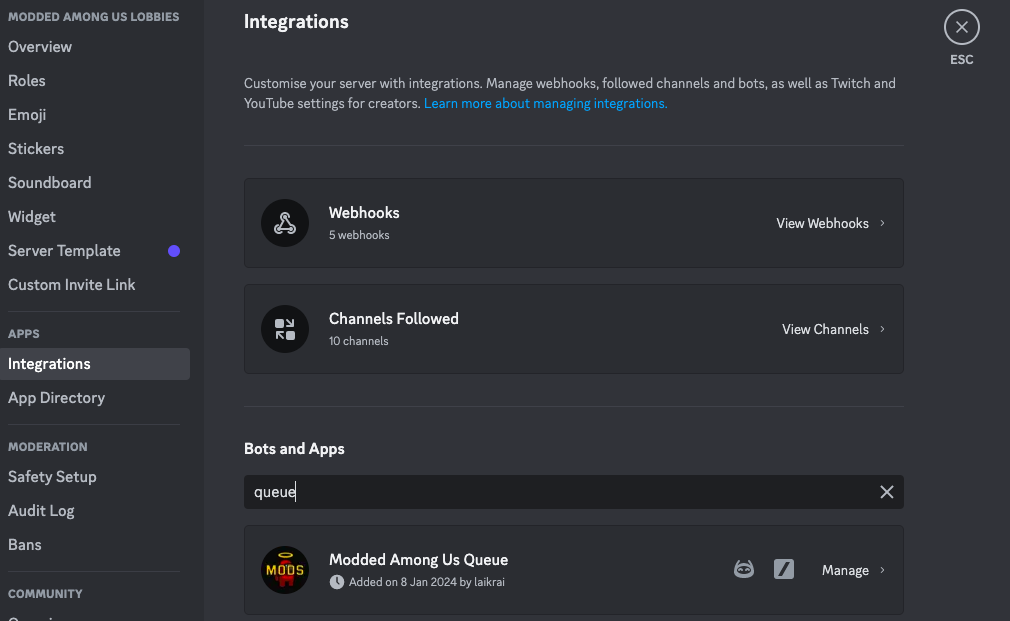
MAUQ must be able to view the channel, send messages, and use application commands. If you use thread tools, it also needs permission to view and manage threads. Verification roles require Manage Roles, and MAUQ's role must be above the roles it gives or removes.
Open Server Settings
Administrators can run /settings to configure:
- Cross-server queue labels
- Lobby-code logging
- Verification logging
- Roles given or removed after verification
Continue with your first queue.